Qwen Code Custom API Key Setup Guide 2026: Use Any OpenAI-Compatible Endpoint
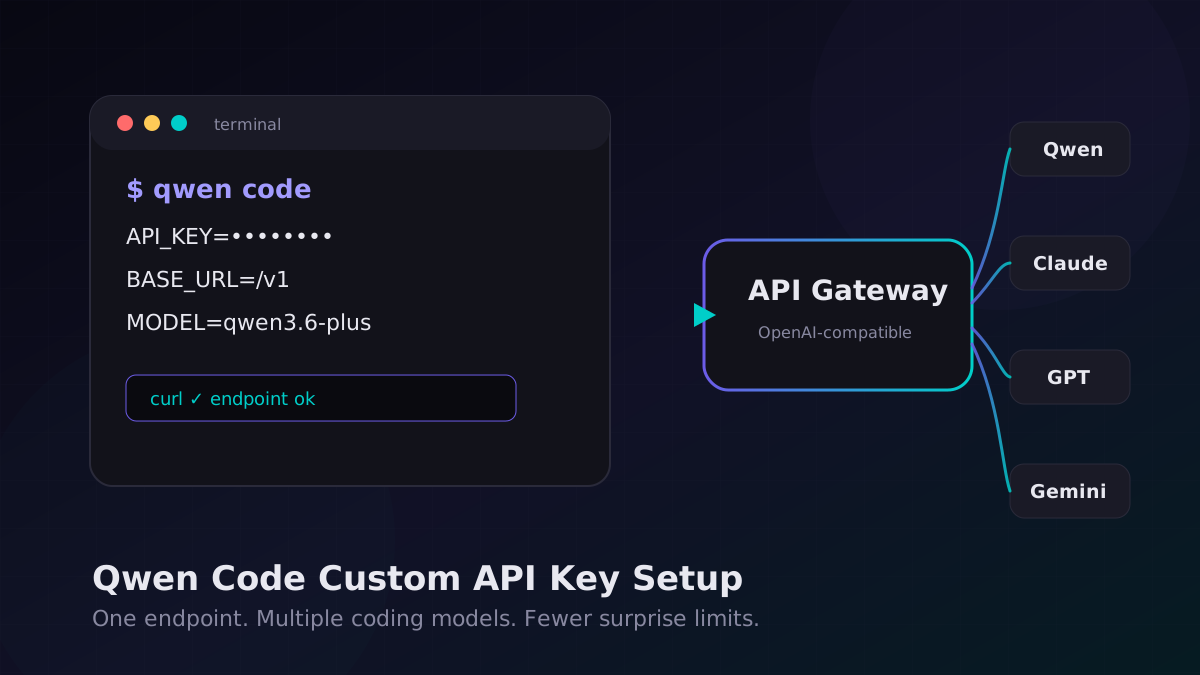
Qwen Code has become interesting for one simple reason: it gives developers another serious coding-agent option without forcing every workflow through the same expensive frontier model. The catch is setup. The old “just log in and use the free quota” approach is not something I’d build a team workflow around in 2026. Quotas move. OAuth rules change. Rate limits show up at the worst possible time.
The better pattern is boring and reliable: bring your own API key, point Qwen Code at an OpenAI-compatible endpoint, then decide which model handles which kind of work. This guide walks through that setup and the checks I’d run before trusting it on a real repo.
Target keyword: Qwen Code custom API key setup 2026. If you already use Cursor, Claude Code, Codex CLI, or Gemini CLI, the mental model is the same: model ID, API key, base URL, then a small amount of routing discipline.
When Qwen Code Makes Sense
Qwen Code is a good fit when you want a terminal-native coding assistant for repetitive engineering work: reading files, explaining code, drafting patches, generating tests, and running small refactors. I would not make it the only agent in a high-stakes production pipeline. I would make it one lane in a multi-model setup.
| Task | Good Qwen Code fit? | Why |
|---|---|---|
| Small bug fixes | Yes | Fast feedback, cheap enough for iteration |
| Unit test generation | Yes | Structured, local-context work |
| Large architecture decisions | Maybe | Use a stronger reasoning model for the final call |
| Security-sensitive rewrites | Careful | Require human review and CI gates |
| Huge monorepo analysis | Maybe | Depends on context limits and file selection |
Step 1: Pick an OpenAI-Compatible Endpoint
Qwen Code setups usually come down to three values:
API_KEY— the secret used to authenticate requests.BASE_URL— the API root, usually ending in/v1.MODEL— the model ID your provider exposes, such asqwen3.6-plusor a coding-tuned Qwen model.
You can use Alibaba Cloud ModelStudio, OpenRouter, Fireworks, a local gateway, or a multi-model API gateway. If you want Claude, GPT, Gemini, and Qwen behind one key, KissAPI is one option; the useful part is that it speaks the same OpenAI-style interface your tools already understand.
Before touching Qwen Code, test the endpoint with curl. This saves time because it separates “my CLI config is wrong” from “my key or provider is wrong.”
export OPENAI_API_KEY="YOUR_API_KEY"
export OPENAI_BASE_URL="https://api.kissapi.ai/v1"
export QWEN_MODEL="qwen3.6-plus"

curl "$OPENAI_BASE_URL/chat/completions" \
  -H "Authorization: Bearer $OPENAI_API_KEY" \
  -H "Content-Type: application/json" \
  -d '{
    "model": "'"$QWEN_MODEL"'",
    "messages": [
      {"role": "user", "content": "Return only: endpoint ok"}
    ],
    "temperature": 0
  }'
If that returns a normal completion, your key, base URL, and model name are valid. If it fails, fix that first. Don’t debug the agent yet.
Step 2: Configure Qwen Code
The exact command names can change between Qwen Code releases, so check your installed version with:
qwen --version
qwen --help
qwen auth --help
For BYOK setups, the typical flow is:
qwen auth
# choose custom provider / API key / OpenAI-compatible endpoint
# paste API key
# set base URL: https://api.kissapi.ai/v1
# set model: qwen3.6-plus
If your build supports environment variables, I prefer env vars for CI and shell profiles because they’re easy to rotate:
export QWEN_API_KEY="$OPENAI_API_KEY"
export QWEN_BASE_URL="$OPENAI_BASE_URL"
export QWEN_MODEL="qwen3.6-plus"
Some versions use OpenAI-style names instead:
export OPENAI_API_KEY="YOUR_API_KEY"
export OPENAI_BASE_URL="https://api.kissapi.ai/v1"
export OPENAI_MODEL="qwen3.6-plus"
Yes, this is annoyingly inconsistent across tools. That’s why the curl test matters. Once the raw API call works, you only need to map those three values into whatever config shape your Qwen Code version expects.
Step 3: Run a Small Repo Test
Don’t start by asking the agent to refactor your payment code. Give it a harmless task in a small repository:
qwen "Read this repository and summarize the test command. Do not edit files."Then try a contained edit:
qwen "Add one unit test for the slugify function. Keep the change minimal."Watch for three things:
- Does it understand file boundaries? Bad agents spray edits across unrelated files.
- Does it run or suggest tests? A coding agent that never verifies is just autocomplete with confidence.
- Does it burn context? If it sends the whole repo every turn, your bill will tell you.
Python and Node.js Sanity Checks
If Qwen Code fails but curl works, test the same endpoint through the OpenAI SDK. Many agent CLIs are thin wrappers around this exact pattern.
Python
from openai import OpenAI

client = OpenAI(
    api_key="YOUR_API_KEY",
    base_url="https://api.kissapi.ai/v1",
)

resp = client.chat.completions.create(
    model="qwen3.6-plus",
    messages=[{"role": "user", "content": "Write a Python slugify function."}],
    temperature=0.2,
)

print(resp.choices[0].message.content)
Node.js
import OpenAI from "openai";

const client = new OpenAI({
  apiKey: process.env.OPENAI_API_KEY,
  baseURL: "https://api.kissapi.ai/v1",
});

const resp = await client.chat.completions.create({
  model: "qwen3.6-plus",
  messages: [{ role: "user", content: "Explain this TypeScript error briefly." }],
  temperature: 0.2,
});

console.log(resp.choices[0].message.content);
Common Errors
| Error | Likely cause | Fix |
|---|---|---|
401 Unauthorized | Wrong key or missing Bearer auth | Regenerate the key and retest with curl |
404 model not found | Model ID mismatch | List models or copy the provider’s exact model name |
429 rate limit | Too many requests or tokens | Add backoff, lower concurrency, or route overflow |
| Agent edits too much | Prompt too broad | Ask for one file, one patch, one test |
| Huge bills | Too much repo context | Use file allowlists and smaller tasks |
A Practical Routing Setup
The smart move is not “use Qwen for everything.” It’s task routing:
- Qwen Code: cheap edits, test generation, simple explanations.
- Claude Sonnet or Opus: tricky debugging, architecture, long-context reasoning.
- GPT-5-class models: tool-heavy agent loops, structured app logic, evaluation passes.
- Small models: commit summaries, changelog drafts, classification.
This is where an OpenAI-compatible gateway helps. You can keep one billing account and one integration surface, while still choosing a model per task. KissAPI’s value here is not magic. It’s less plumbing: one key, multiple models, standard SDKs.
Run Qwen Code Through One API Gateway
Use KissAPI for OpenAI-compatible access to Qwen, Claude, GPT, Gemini, and more. Start with free credits, test your endpoint, then plug it into your coding tools.
Start Free →Final Advice
Use Qwen Code like a junior teammate with a fast keyboard. Give it bounded tasks. Ask for small patches. Run tests. Review the diff. If you do that, a custom API key setup can cut costs without turning your repo into a science experiment.
The main trap is treating the agent as the product. It isn’t. The product is the workflow around it: endpoint checks, model routing, retry rules, CI, and human review. Get those right and swapping models becomes a normal engineering decision instead of a weekend migration.