Claude Code MCP Server Setup Guide 2026: Add Tools Without Blowing Up Your API Bill
Claude Code is good out of the box. It gets much better when you stop treating it like a chat window and start giving it tools. That is what MCP is for.
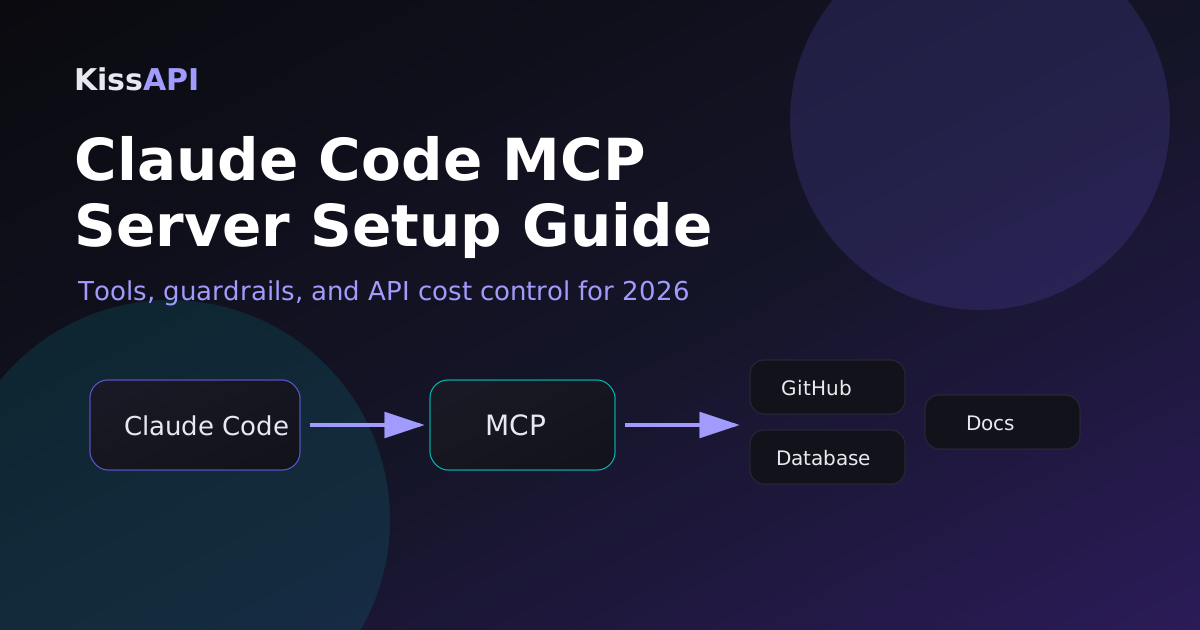
MCP, short for Model Context Protocol, lets Claude Code talk to local or remote tool servers: GitHub, Postgres, filesystem search, browser automation, internal APIs, ticket systems, docs, and your own small scripts. The upside is obvious: less copy-paste, fewer stale instructions, and a coding agent that can inspect the real world before changing code. The downside is also real: badly configured tools can leak secrets, slow every turn, or quietly double your API bill.
This guide shows a sane Claude Code MCP server setup for 2026. We’ll keep it practical: install one local MCP server, add a custom server, test it, and put guardrails around cost and permissions.
What you should connect first
Don’t connect everything on day one. The best first MCP servers are boring and read-heavy:
| MCP server | Use it for | Risk level |
|---|---|---|
| Filesystem / repo search | Finding files, reading configs, inspecting logs | Low if scoped to one repo |
| GitHub | Issues, PRs, check runs, review context | Medium; token scope matters |
| Database read replica | Debugging production-ish data safely | Medium; make it read-only |
| Browser / docs fetcher | Reading live docs instead of hallucinating APIs | Low to medium |
| Deployment tools | Releases, migrations, infra changes | High; add manual approval |
My rule: start with read-only context tools, then add write tools only after you’ve seen the agent behave well for a week. Claude Code with read access is useful. Claude Code with broad write access is a loaded nail gun.
Install Claude Code and check your API routing
If you already run Claude Code, skip this part. If not, install it and make sure your API key works before adding MCP. Debug one layer at a time.
npm install -g @anthropic-ai/claude-code

export ANTHROPIC_API_KEY="your-api-key"
claude --version
claude
If you use an OpenAI-compatible or Anthropic-compatible gateway, set the base URL explicitly. For example, KissAPI can sit in front of several models and keep your coding workflow from depending on a single provider.
export ANTHROPIC_BASE_URL="https://api.kissapi.ai"
export ANTHROPIC_API_KEY="your-kissapi-key"
claude
Keep those variables in a project shell profile or a secret manager, not in the repo. A surprising number of “AI coding security incidents” are just committed API keys with better branding.
Add a local MCP server
Claude Code reads MCP server definitions from its config. The exact file path can vary by install and OS, so use Claude Code’s own config command when available. A typical JSON entry looks like this:
{
  "mcpServers": {
    "repo-files": {
      "command": "npx",
      "args": [
        "-y",
        "@modelcontextprotocol/server-filesystem",
        "/Users/you/projects/my-app"
      ]
    }
  }
}
The important part is the final path. Scope it to one repo, not your entire home directory. If the model doesn’t need your downloads folder, SSH keys, browser profiles, or invoices, don’t make them visible.
Restart Claude Code after editing the config, then ask it something that requires the tool:
What MCP tools can you use in this project?
Find the package manager and summarize the test command.
Read the main API route and explain the auth flow.
You’re looking for two things: can it call the tool, and does it cite concrete files rather than guessing? If it can’t name the files it inspected, your setup isn’t proven yet.
Build a tiny custom MCP server
Custom MCP servers are where this gets powerful. You can wrap internal APIs in a small, safe interface instead of pasting credentials into prompts.
Here’s a minimal Node.js-style sketch for a read-only “release notes” tool. Treat this as the shape of the server, not a full production package:
import { Server } from "@modelcontextprotocol/sdk/server/index.js";
import { StdioServerTransport } from "@modelcontextprotocol/sdk/server/stdio.js";

const server = new Server({ name: "release-notes", version: "1.0.0" }, {
  capabilities: { tools: {} }
});

server.setRequestHandler("tools/list", async () => ({
  tools: [{
    name: "get_release_notes",
    description: "Return release notes for a version",
    inputSchema: {
      type: "object",
      properties: { version: { type: "string" } },
      required: ["version"]
    }
  }]
}));

server.setRequestHandler("tools/call", async (request) => {
  const { version } = request.params.arguments;
  const notes = await fetch(`https://internal.example.com/releases/${version}`)
    .then(r => r.text());
  return { content: [{ type: "text", text: notes.slice(0, 8000) }] };
});

await server.connect(new StdioServerTransport());
Then register it:
{
  "mcpServers": {
    "release-notes": {
      "command": "node",
      "args": ["/Users/you/tools/release-notes-mcp/server.js"],
      "env": {
        "RELEASE_API_TOKEN": "use-a-real-secret-manager-instead"
      }
    }
  }
}
For production, don’t hardcode secrets in JSON. Load them from your OS keychain, a short-lived token helper, or environment variables injected by your terminal profile.
Test with curl before giving it to Claude
MCP itself usually runs over stdio for local tools, but any HTTP API your server wraps should be tested directly. It saves time.
curl -sS -H "Authorization: Bearer $RELEASE_API_TOKEN" "https://internal.example.com/releases/2026.05.30" | headIf this fails, Claude Code won’t magically fix it. Validate network access, auth, response size, and error behavior first.
Cost control: the part people skip
MCP tools don’t just add capability. They add context. A tool that dumps 40,000 lines into the conversation will burn tokens, slow down the turn, and often make the answer worse.
Use these limits:
- Return summaries by default. Let the model ask for full content only when needed.
- Cap output. 8K to 20K characters is enough for most tool calls.
- Prefer search before read. Grep first, open files second.
- Split cheap and expensive models. Use a cheaper model for search, classification, and log triage; reserve the expensive model for edits and architecture.
- Cache stable data. Package docs and release notes don’t need to be fetched every turn.
If your team runs heavy coding agents all day, a gateway helps here too. With KissAPI, you can route routine calls to cheaper models and keep Claude for the tasks where it actually earns its keep.
Security guardrails I’d use by default
Here’s the short version: tools should be narrow, logged, and boring.
- Scope filesystem access to the project. Never mount
~. - Use read-only database users. If a tool needs writes, make a separate tool with a scary name and manual confirmation.
- Give GitHub tokens minimum scopes. Reading issues is not the same as pushing commits.
- Log tool calls. Store tool name, arguments, timestamp, and result size. Don’t log secrets.
- Put destructive actions behind humans. Deploy, delete, migrate, charge money, send email: approval first.
The goal isn’t to make Claude Code weak. It’s to make the powerful path explicit. A good tool boundary turns “the model can do anything” into “the model can do this specific thing safely.”
A practical setup checklist
# 1. Confirm Claude Code works without MCP
claude --version

# 2. Add one read-only MCP server scoped to the repo
# 3. Restart Claude Code
# 4. Ask it to inspect real files
# 5. Add one custom internal tool
# 6. Cap tool output
# 7. Add logs
# 8. Only then consider write tools
That checklist sounds conservative because it is. The fastest teams I’ve seen don’t give agents unlimited access. They give agents clean tools, tight feedback, and enough context to make good decisions.
Need Claude Code with flexible API routing?
Start with KissAPI and use one API account for Claude, GPT, Gemini, and other models. Good for teams that want model choice without rebuilding their tooling.
Start Free →Final take
MCP is worth setting up if Claude Code is part of your daily workflow. Start small: repo search, docs, GitHub context. Keep outputs short. Make dangerous tools explicit. Then iterate.
The payoff is simple: fewer blind prompts, fewer copied logs, and a coding agent that can answer from your actual project instead of from vibes. That’s the difference between a clever chatbot and a useful developer tool.